Browser games are made for short breaks, and short breaks often happen on someone else's network: a university library, an office, a coworking space or a hotel. Those networks are shared, often monitored and sometimes filtered. Many sites that promise "unblocked" games are run to make money from ads at any cost. Here is how to play without putting your device, your accounts or your job at risk.
Start with the rules
Most workplaces and universities have an acceptable-use policy. Some allow games on breaks; others ban them on company equipment or block them on the network. Read the policy before you play. Trying to get around a filter with a proxy or an unapproved VPN can breach the policy even when the game itself would have been allowed, and on a work laptop it can trigger security alerts. If in doubt, play on your own phone over mobile data.
The risks on "unblocked games" sites
Search for almost any popular browser game with the word "unblocked" and you will find hundreds of mirror sites. Some are harmless. Many are thin copies stuffed with aggressive advertising. The main risks are:
- Malvertising: ads that redirect to scam pages, fake prize alerts or fake virus warnings.
- Fake download buttons: large green "Play" or "Download" buttons that install unwanted software instead of starting the game.
- Rogue browser extensions: "game launchers" or "Flash enablers" that read every page you visit.
- Credential phishing: fake login boxes that ask for your email, social or university account to "save progress".
- Copied games: unofficial copies that may be outdated, broken or modified.
A safety checklist
- Prefer the official site or a well-known portal. Many developers link their own official version; reputable portals vet what they host.
- Never install anything to play a browser game. A real browser game runs in the tab. A request for a download, an extension or a "Flash Player update" is a red flag; Flash was retired at the end of 2020, as we explain in the death of Flash.
- Never sign in with a work or university account. If a game needs an account, create a separate one with a unique password.
- Check the address bar. Look for the real domain, not a look-alike with extra words or odd endings.
- Keep your browser updated and let it block pop-ups and redirects.
- Close tabs that will not let you leave. Pages that open endless pop-ups or full-screen warnings are scams; close the browser if necessary.
Why so many game mirrors show casino ads
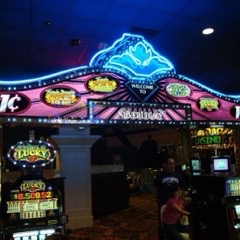
If you have visited a few unblocked-game sites, you may have noticed how often the ads are for gambling: crypto casinos, "sweepstakes" slot sites, betting apps and promises of free spins. There is a simple commercial reason. Gambling operators pay more per new customer than almost any other advertiser, so ad networks that accept their campaigns can pay mirror-site owners more than mainstream networks. Many of those ads are for licensed brands; others are for offshore sites that are not licensed where the viewer lives.
That matters because a free game and a real-money casino can look very similar in a browser tab. A slot that asks for nothing but your time is a social casino game; a slot that takes a deposit is gambling, with very different consequences. The line between them, and the "sweepstakes" model that tries to sit in between, is explained in social casinos and free browser slots. On a shared network, the simplest rule is not to click a gambling ad on a game site at all, and never to enter payment details on a page you reached that way.
Being a good network citizen
Shared networks have limited bandwidth. Multiplayer games use little, but game downloads and streaming do not. Keep big downloads for home, avoid playing during busy periods on a small office network and keep the volume down. And if your organisation allows games on breaks, keep it that way by sticking to the rules.